ITP Analytics is Operational Metrics Dashboards that helps to facilitate assessment of matching, confirmation & affirmation performance.
Background
As global shift towards T+1 settlement cycles has intensified the need for clear & efficient ways to prepare, assess and demonstrate operational performance across a variety of different dimensions at more frequent intervals. The ITP Analytics service addresses these challenges head-on, providing a simplified, streamlined and centralized solution for assessment of post-trade, pre-settlement execution.
Our Solution
The CTM & TradeSuite Operational dashboards, powered by ITP Analytics, are a strategic enhancement to ITP’s Data Analytics capabilities. Available on T+1 and refreshed throughout the trade lifecycle, they are designed to address the complexities of organizational performance with that of your counterparties and identify areas of opportunity, with a strong offering of data visualization and drilldown capabilities.
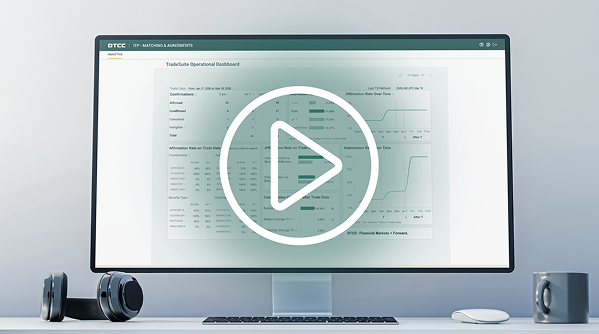
CTM® and TradeSuite ID® Operational Dashboards - Powered by ITP Analytics | Available Now:
Key Features
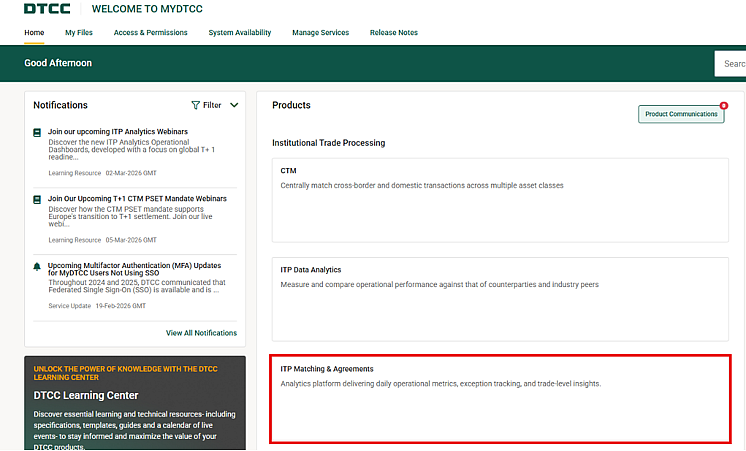
Through the recently launched ITP Matching & Agreements portal, analytical capabilities are available at a glance without the need to execute separate reports.
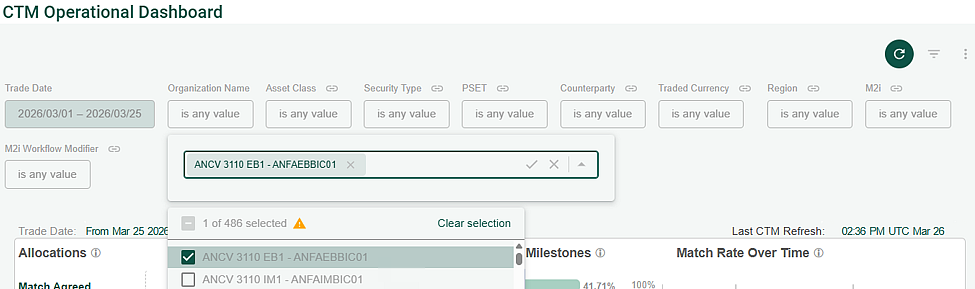
With customizable metric views through a multitude of filters, users can define their own ways to review their performance, whether that is daily, weekly, monthly or quarterly – the choice is yours to make.
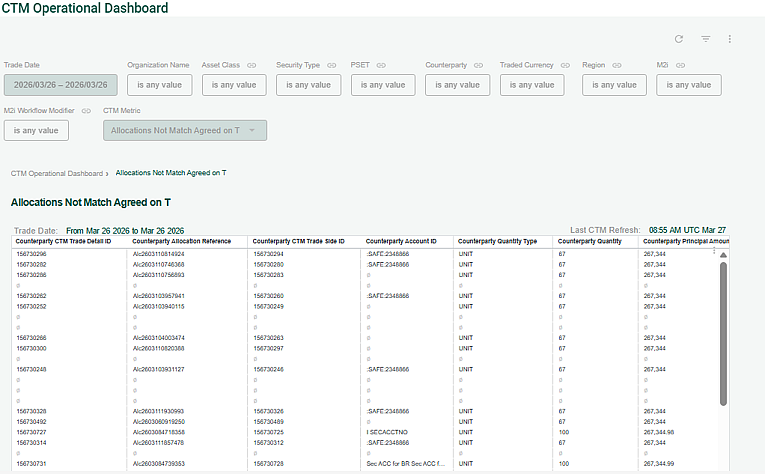
Drilldown to view additional metrics and dimensions, with a complete view of all allocations driving the metric calculations.
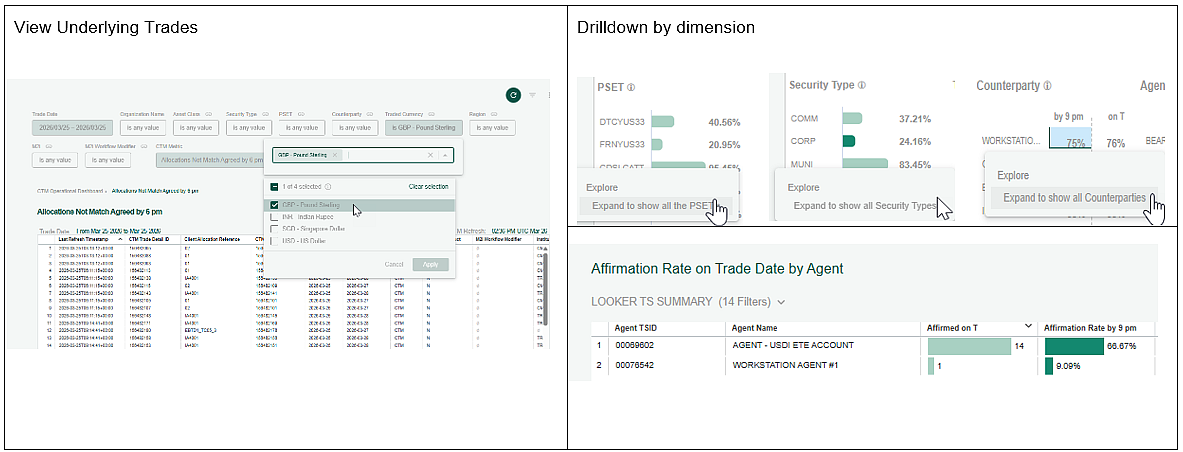
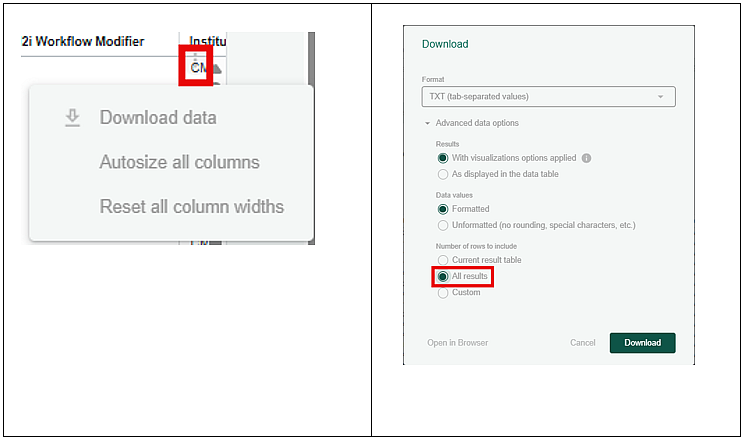
All drilldown capabilities can be downloaded in many native formats, making it easier to analyze large data sets offline.
With an underlying trade dataset that spans both sides of the trade, matching can be reviewed using a single span of a row of data.
Who can use ITP Analytics
ITP Analytics is available to Institutions, Outsourcers & Executing brokers who are subscribers of CTM and/or TradeSuite ID. It is tailored to meet the needs of these entities and middle office service provides, allowing access to the data available through the drilldown capabilities. ITP Analytics is offered to subscribers of these products at no additional cost and is part of the overall service offering, providing significant value to ITP Clients.
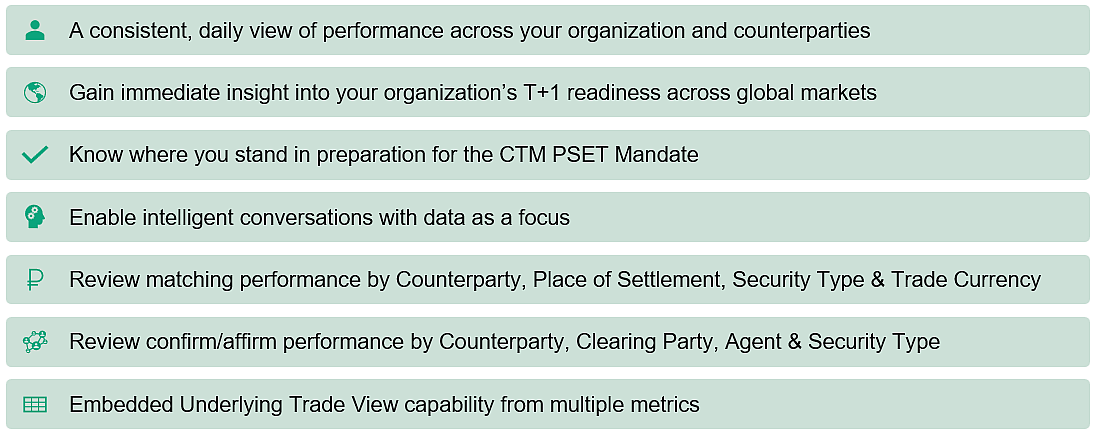
Benefits
Getting Access to Your ITP Analytics
Access to ITP Analytics is controlled by the assignment of one or more entitlement roles to your CTM and/or TradeSuite user IDs, which needs to be provisioned by your firm's Product Administrator. Please raise a request with the individual(s) designated as your firm's Product Administrator(s).
Instructions for Product Administrators can be found below, explaining how to add the ITP Analytics entitlement role(s) to an existing user ID or create a new user ID with these roles:
Setting Up ITP Analytics
- User entitlements are managed through Manage My Services. In the Manage My Services Product Help, view Modifying User Entitlements and follow steps 1 and 2
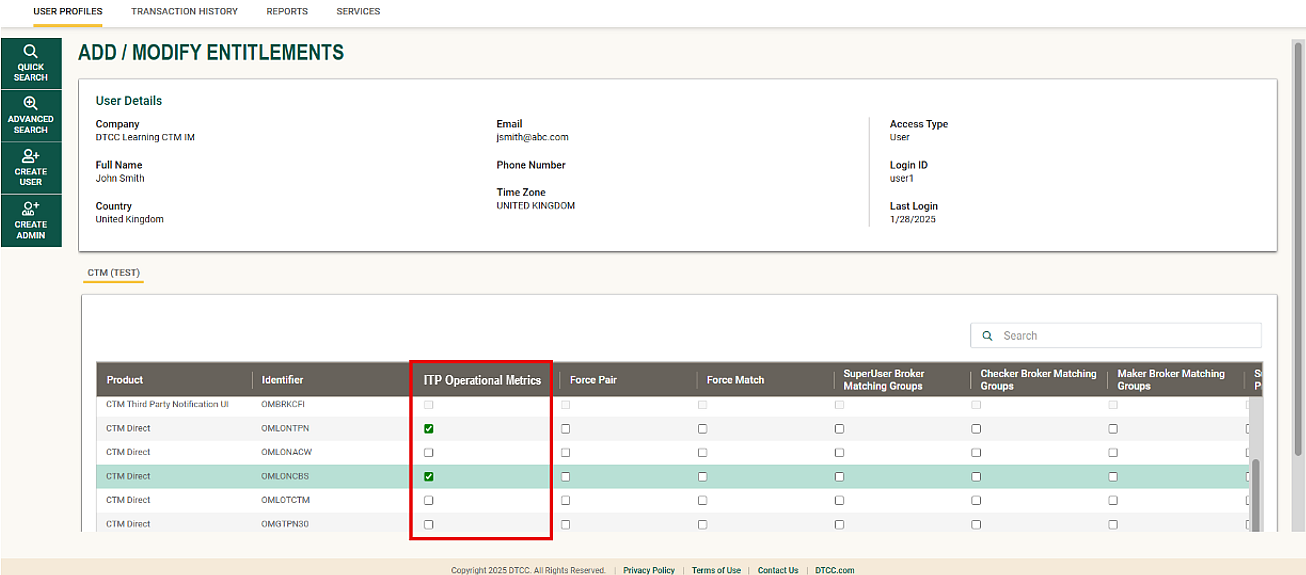
- Within step 2, on the Add/Modify Entitlements window, select the ITP Operational Metrics role as shown in the screenshot below
2. Click Submit.
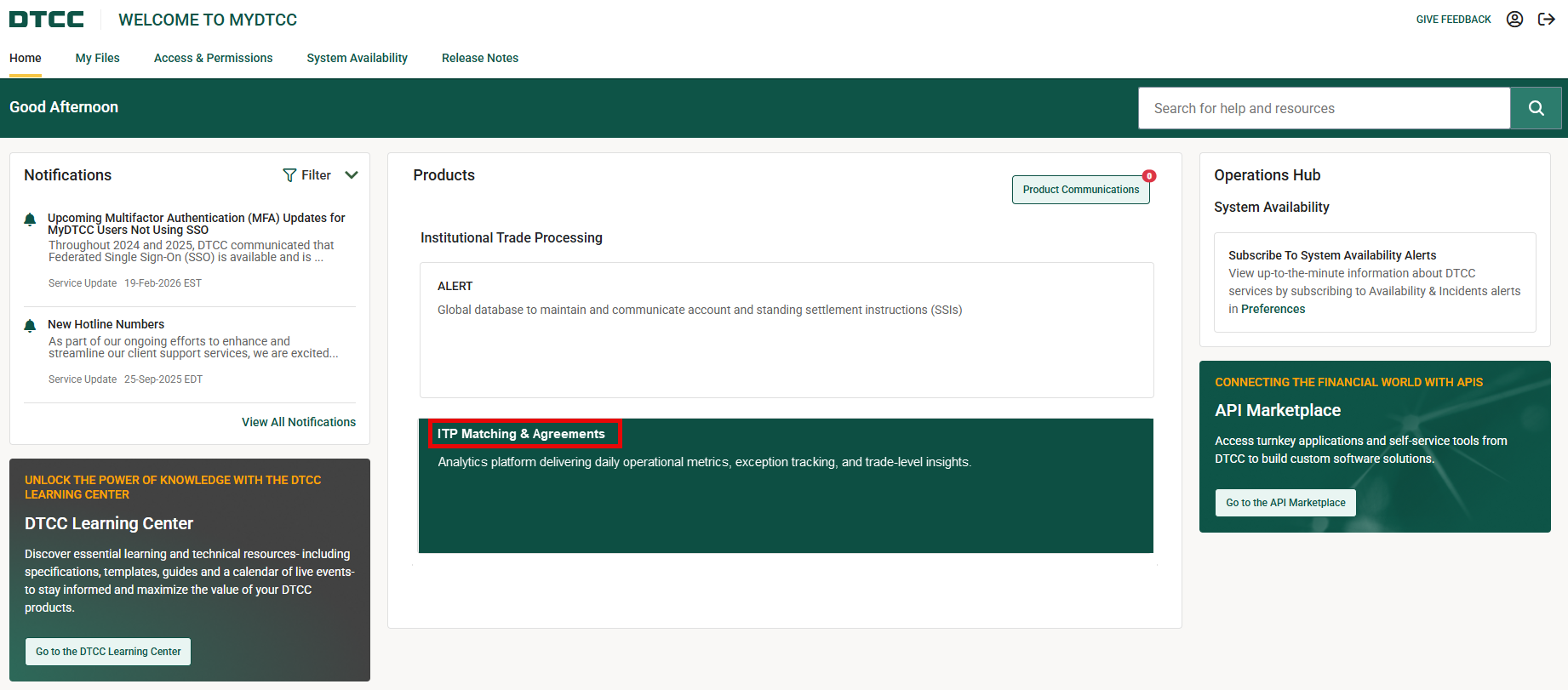
3. For the user to access ITP Analytics, the user should log into MyDTCC and select the ITP Matching and Agreements tile as shown below.
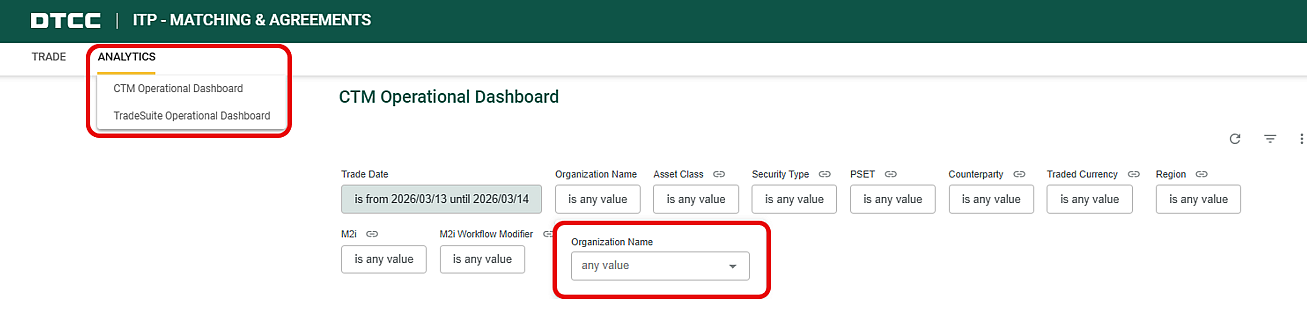
4. Launch the dashboards via the Analytics menu.
5. Entitled organizations are listed here.
Please reach out to your CTM and/or TradeSuite ID Product Administrator who can create a new user ID on your behalf.
Instructions for Product Administrators to create a new user ID:
- User entitlements are managed through Manage My Services. In the Manage My Services Product Help, view Creating a User (for ITP product accounts) and follow steps 1-3
- When creating a new user in step 1, select Product: ITP Services & MyDTCC Account
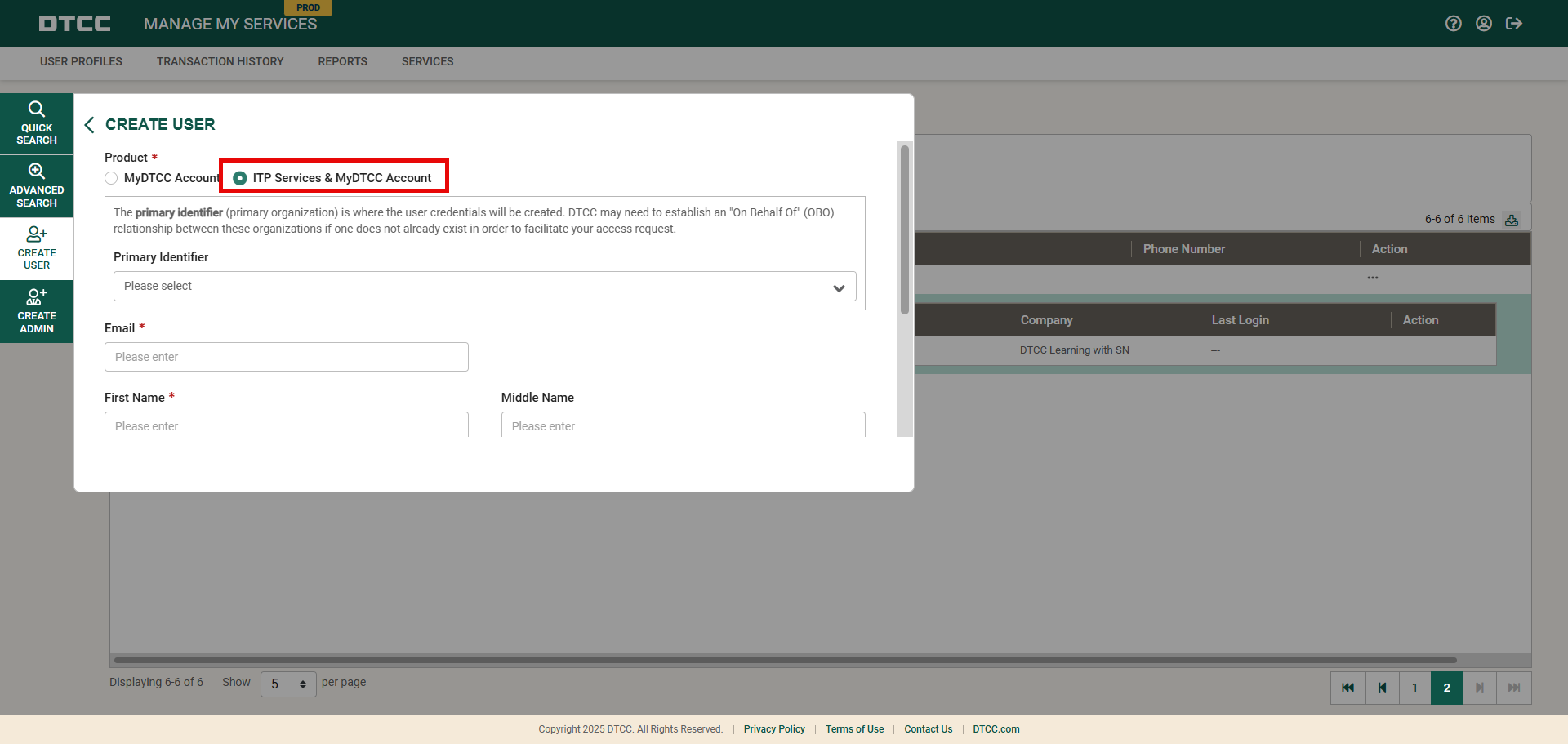
2. Click Next to move forward to the Add / Modify Entitlements window. Review the section above entitled Existing user of CTM or TradeSuite ID? and follow the steps to apply the ITP Operational Metrics user role to the new user ID.
To find out who your Product Administrator is:
- Go to MyDTCC - My Products and select Need access to another product/service? Want to know who your Administrators are? Select the appropriate ITP product. A list of your current Product Administrators will appear.
- Or contact our DTCC Client Center. Our global support telephone numbers are listed at https://www.dtcc.com/client-center
If your organization does not have a Product Administrator, see the Manage My Services (ITP) Product Help for instructions on how to create an administrator. Contact the DTCC Client Center for assistance.
Additional Resources
For details about navigating the ITP Analytics service, including detailed information about the reports and metrics, please visit the ITP Analytics Product Help available here or directly from the ITP Analytics user interface.