DTCC Tokenization Service: Register Wallets Screen
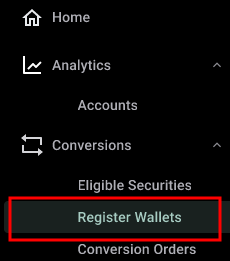
Use the Register Wallets screen to register and manage a blockchain‑associated wallet with the DTCC Tokenization Service. This screen is accessible from the Conversions section of the left-hand navigation.
|
Wallet Registration Considerations
The following are important considerations when registering wallets in the Tokenization Service:
- DTCC is not a wallet provider.
- Participants are solely responsible for creating wallets through their chosen wallet provider (see Wallet Providers for information on selecting a wallet). Direct any support issues related to wallet creation to the wallet provider.
- During the onboarding process, participants select the blockchain on which their wallets are created. This wallet is connected with their primary account on DTC.
- Participants remain responsible for performing Know Your Customer (KYC) and Anti-Money Laundering (AML) due diligence on any new client wallets they register. DTCC may, at its discretion, perform additional compliance checks, such as OFAC (Office of Foreign Assets Control) screenings and risk assessments.
Viewing Registered Wallets
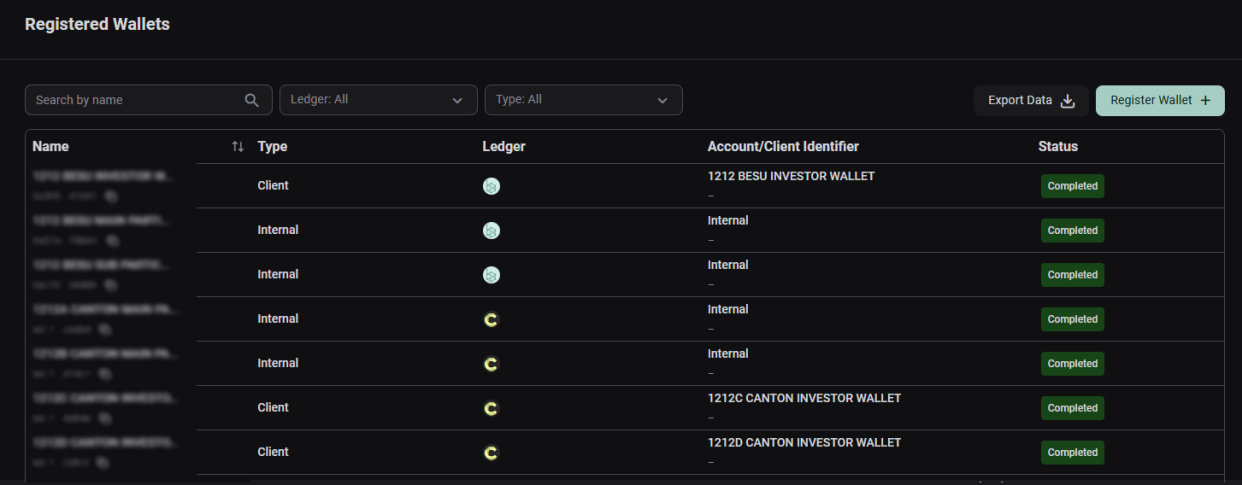
The Registered Wallets screen displays a list of wallets registered to your account.
|
Use the search bar to filter the displayed wallets. You can also export the data to a .csv file for analysis.

|
This table describes the columns displayed on the Register Wallets screen:
| Field | Description |
|---|---|
| Name | The name given to the wallet when it was registered. |
| Type | The wallet type, for example: Internal, Client, or Classic. See Accounts for a description of wallet types. |
| Ledger | The wallet's associated blockchain ledger. This field is denoted by the ledger’s associated blockchain icon.
|
| Account/Client Identifier | The unique Client ID provided to you when you are onboarded into the Tokenization Service. |
| Status | The wallet status indicates the current state of a wallet within the registration workflow. The following statuses are possible:
|
 icon refers to the
  icon refers to
  icon refers to DTCC's offchain ledger that is tied to the participant's DTC account.
 |
Note |
|
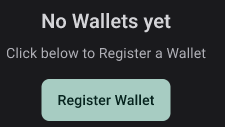
If you do not have any wallets registered yet, the screen displays an action button to register your first wallet. Follow the instructions in the Registering a Wallet topic to register a wallet.
|