DTCC Tokenization Service: Registering a Wallet
All transactions performed through the Tokenization Service must be through wallets registered with the service. The Classic account – which every DTCC Participant already has – is added to the Tokenization Service during the onboarding process.
|
Important |
|
To register a wallet with the Tokenization Service:
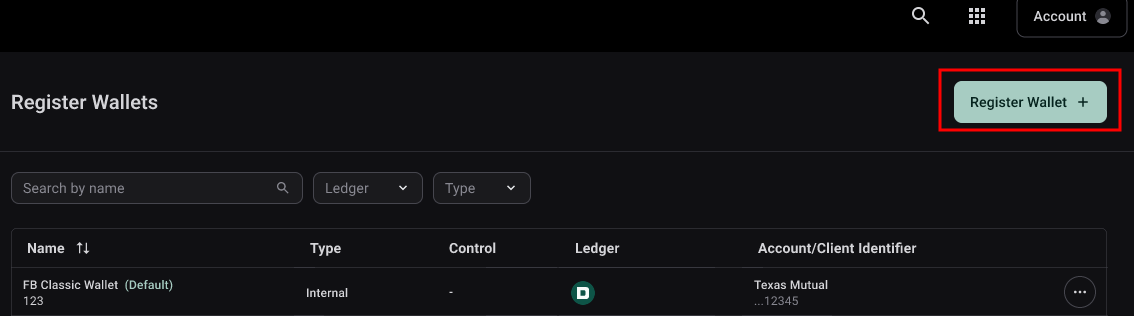
- Click Register Wallets in the upper right of the Register Wallets screen.
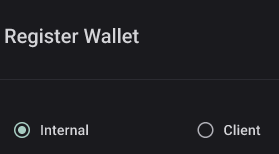
- Select Internal or Client. Note: See Accounts for a description of wallet types.
- Complete these fields for Internal wallets:
- Wallet name: Use a naming convention that describes the wallet; for example, you can include the wallet provider and the associated security. Note: The wallet name is an open-text field, providing flexibility to use whatever naming convention best suits your environment.
- Ledger: Select the ledger for the wallet.
- Wallet Address: Copy and paste the wallet address into the Wallet Address field.
Important
The Tokenization Service does not validate wallet addresses and assumes that the client entering the wallet information is the owner or authorized user of the wallet.
- Complete these additional fields for Client wallets:
- Account/Client Identifier: Select one of the available client accounts from the dropdown. If the account is not available, you may enter the client name with any naming convention you prefer. Note: The newly created client account will appear in the Client Account structure on the Balance tab of the Account screen.
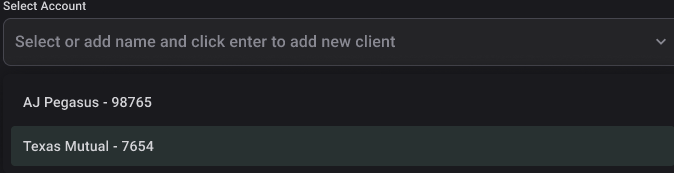
- Account/Client Identifier: Select one of the available client accounts from the dropdown. If the account is not available, you may enter the client name with any naming convention you prefer. Note: The newly created client account will appear in the Client Account structure on the Balance tab of the Account screen.
- Click Register Wallet.
The registered wallet will display on the Register Wallets screen.