
CTM User Interface: Other Features within Symphony Chat for CTM
Viewing and Updating Users in a Chat Room
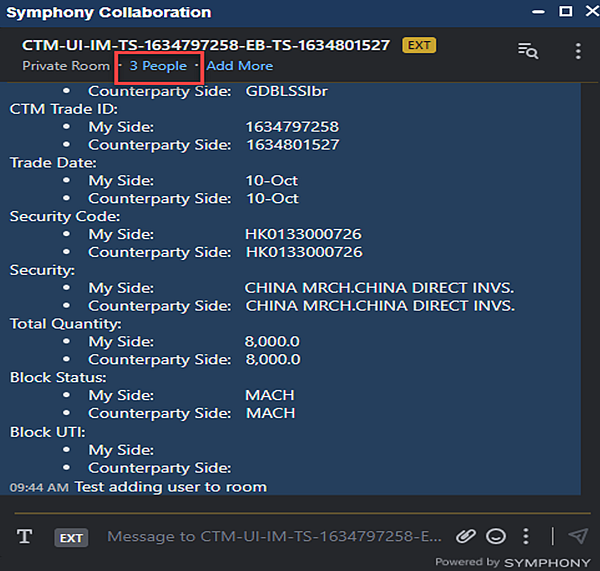
Click where highlighted to view the individual member names in the Symphony Chat Room.
|
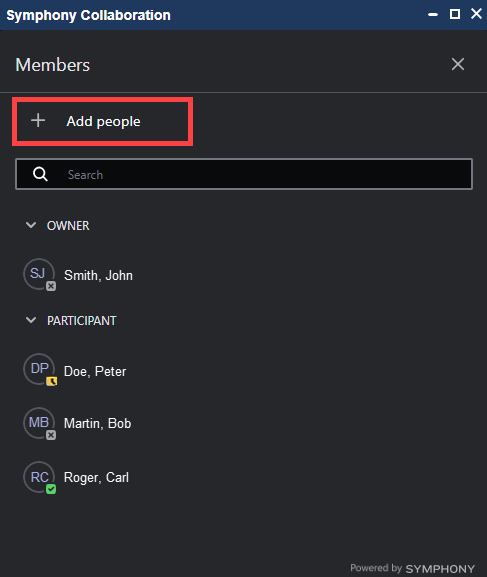
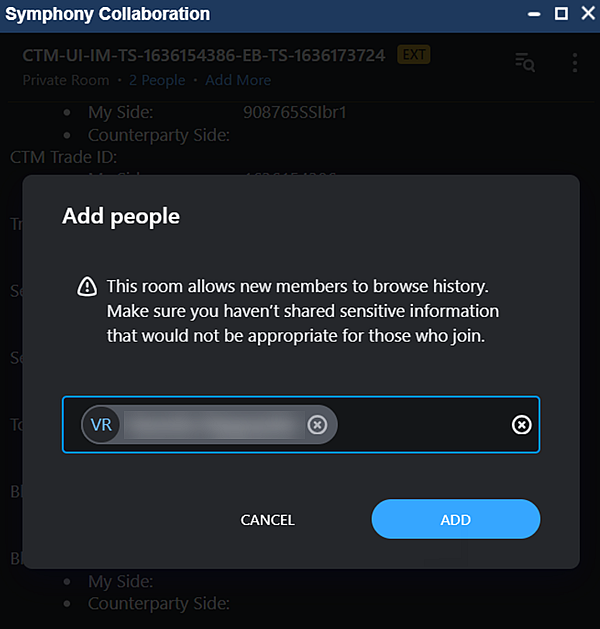
To add members, select the ‘+ Add people…’ and type the name and select the member from the list.
|
|
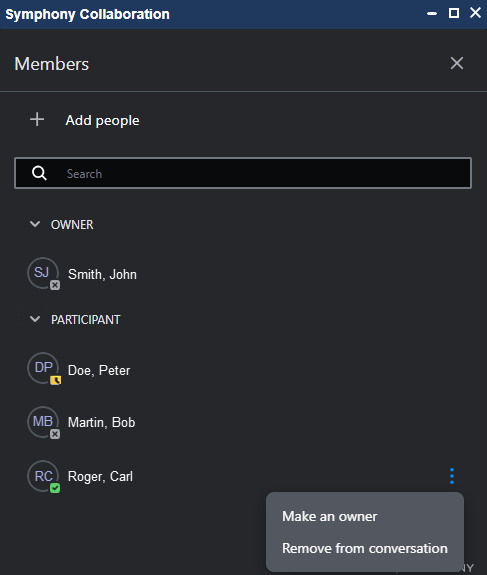
To remove a member from the Symphony Chat Room or change a member’s type of access, hover over the member’s name, select the three button icon ( ) and make your selection.
|