CTM User Interface: Favorite Counterparties
If you have the Manual Entry or Amend Central Trade Management roles, you can identify and manage up to 70 of your Favorite Counterparties. BICs and broker matching groups (BRMGs) can be saved as Favorite Counterparties to quickly enter or amend trades.
To Manage your Favorite Counterparties
-
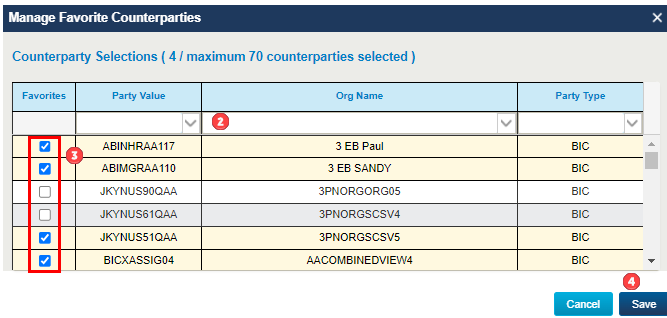
Click Manage Counterparties to open the Manage Favorite Counterparties window.

- Type within the column headers to narrow down the results if needed.
- Select your favorite counterparties from all eligible CTM organizations.
-
Click Save to save your selections.
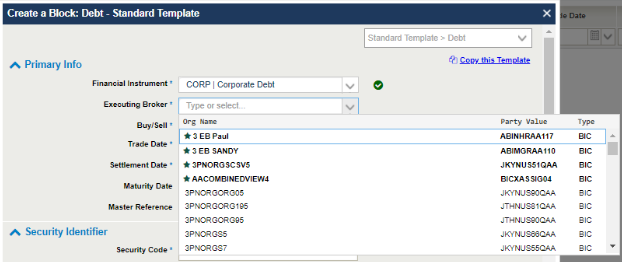
You can see your favorite counterparties in the Create Block, Amend Block, Copy Block, Templates, and Advance Search windows. They appear at the top of the Executing Broker or Instructing Party drop-down list.