
System Availability
The System Availability feature provides a centralized view of service availability for your DTCC products and services. The information displayed is based on the preferences you’ve selected, helping you focus on the services most relevant to your organization.
To access the System Availability dashboard, select System Availability from the navigation menu at the top of the MyDTCC Home page.
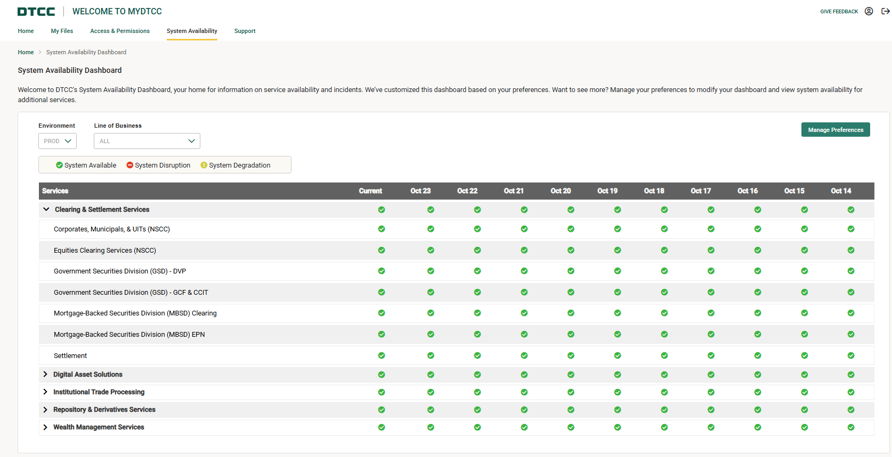
The System Availability table displays the current day’s status for each service, along with a 10-day lookback.
|
Select the arrow to the left of a business line name to expand it and view its related products and services.
To filter the information displayed, use the Environment (PSE or Production) and Line of Business filters at the top of the table. Each service is shown with a color-coded status indicator:
- System Available: The service is available and operating normally.
- System Degradation: The service remains available but may be experiencing degraded conditions.
- System Disruption: The service is experiencing a disruption that may affect availability.
Managing Your Preferences
To update the products and services displayed on your dashboard, select Manage Preferences in the upper-right corner of the table, then update your selections as needed.