
Operations Hub Overview
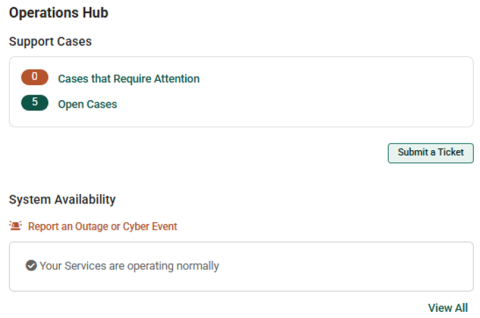
The Operations Hub on the MyDTCC Home page provides an overview of your open support cases and allows you to submit new requests, report outages or cyber events, and monitor the availability of DTCC services.
Support Case Overview
View your support case information directly from the MyDTCC Home Page for greater visibility into your open support requests. The Support Case Overview displays the following:
- Cases that Require Attention: Support cases that need additional information from you before our support team can resolve your request.
- Open Cases: Support cases that are currently open and in progress.
Select either link to view those cases in the support case management section, or select Submit a Ticket to create a new support request.
Report an Outage or Cyber Event
Report an issue affecting the availability of a DTCC service or a cybersecurity-related event. Providing clear and timely information helps route your report to the appropriate response team. To submit a report, select Report an Outage or Cyber Event..
System Availability Preview
View the current availability of your DTCC services at a glance. To open the full System Availability dashboard, select View All.
|