
Notifications
The Notifications feature provides access to important service updates, system availability alerts, learning resources, and items that may require your attention. Notifications displayed on the MyDTCC Home Page are tailored to the products you use and personalized based on your access.
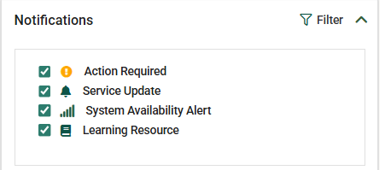
Each notification includes a category, title, message, and posting time. Notification categories include:
- Action Required
- Service Update
- System Availability Alert
- Learning Resource
.png)
|
Filtering Notifications
Use the filter option to select the notification categories most relevant to you. Notifications in unselected categories will remain hidden until you select those categories again.
 |
Viewing All Notifications
Select View All Notifications at the bottom of the Notifications section to open the full Notifications page. By default, all notification categories are selected, with the most recent notifications displayed at the top of the page. Use the search and category filters to find the notifications most relevant to you.
To return to the MyDTCC Home Page, select Home in the upper-left corner.
.png)
|