
Product Communications
The Product Communications feature provides access to important updates and notifications related to the DTCC products and services for which you are authorized.
To access the Product Communications page, select the "Product Communications" button located in the upper-right corner of the Product column. The button displays the number of unread communications associated with the products and services available to you, allowing you to quickly identify new updates.
Select the button to open the Product Communications page and view all available communications.

|
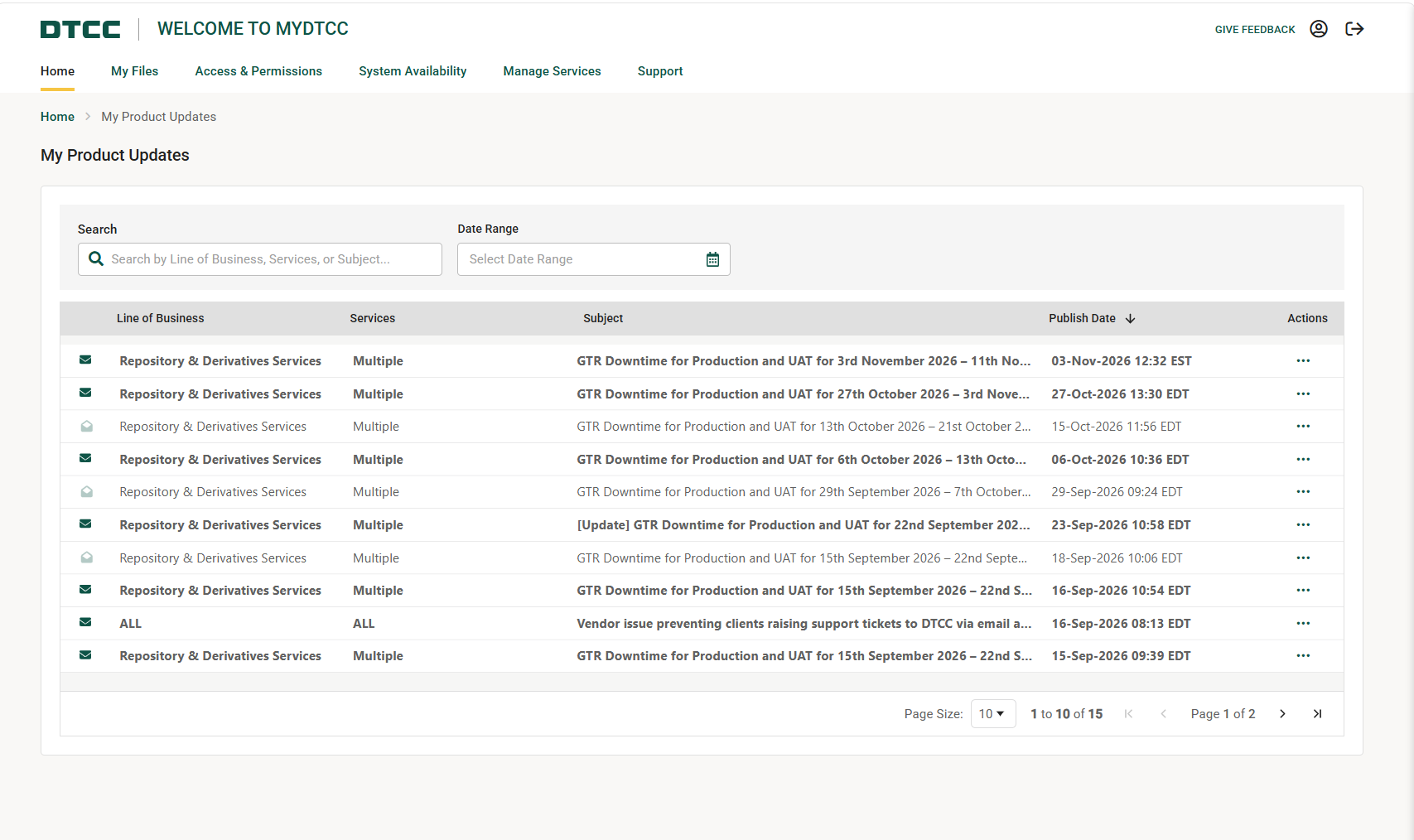
The Product Communications page displays a complete list of communications available to you.
Use the search functionality or apply date filters to quickly locate communications by line of business, service, subject, or date range.
Select any communication from the list to open and view its detailed information.
|
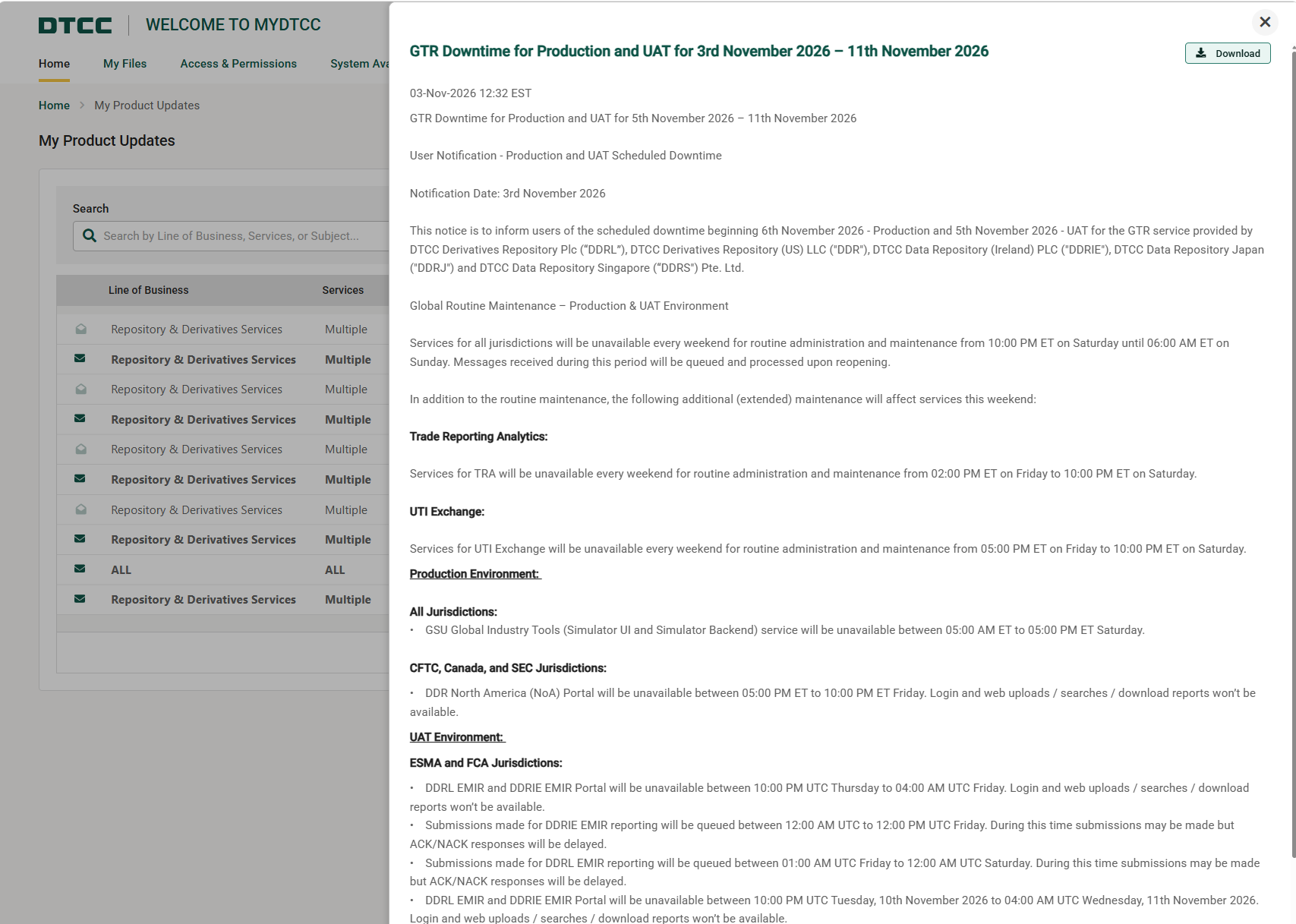
Once the panel opens, you can view the communication details. If needed, you can view the communication document by selecting the Download button located in the upper-right corner of the panel.
|
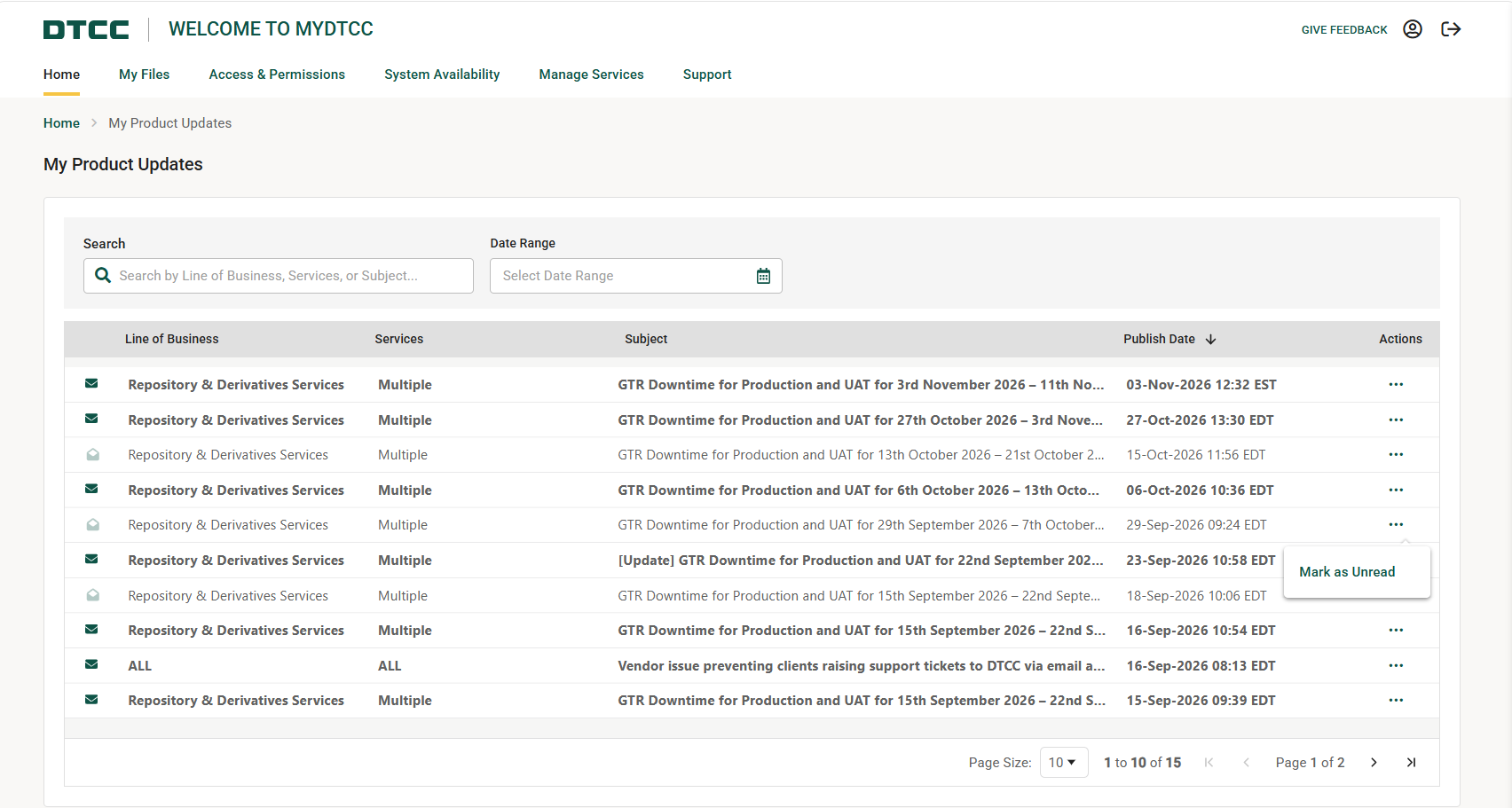
Use the envelope icons located on the left side of each communication to identify which items have already been opened.
If you would like to mark a communication as unread and return to it later, select the ellipsis in the Action column and choose "Mark as Unread".
The communication will be returned to an unread status, and the indicator on the Product Communications button on the Home Page will update accordingly.
|