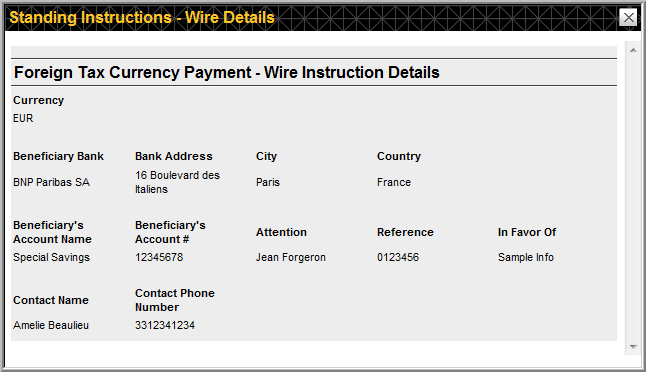
CA Web: Adding CUSIP-Level Standing Instructions for Foreign Currency
- On the menu bar, hover your mouse
over Instructions > Standing Instructions and
click Search.
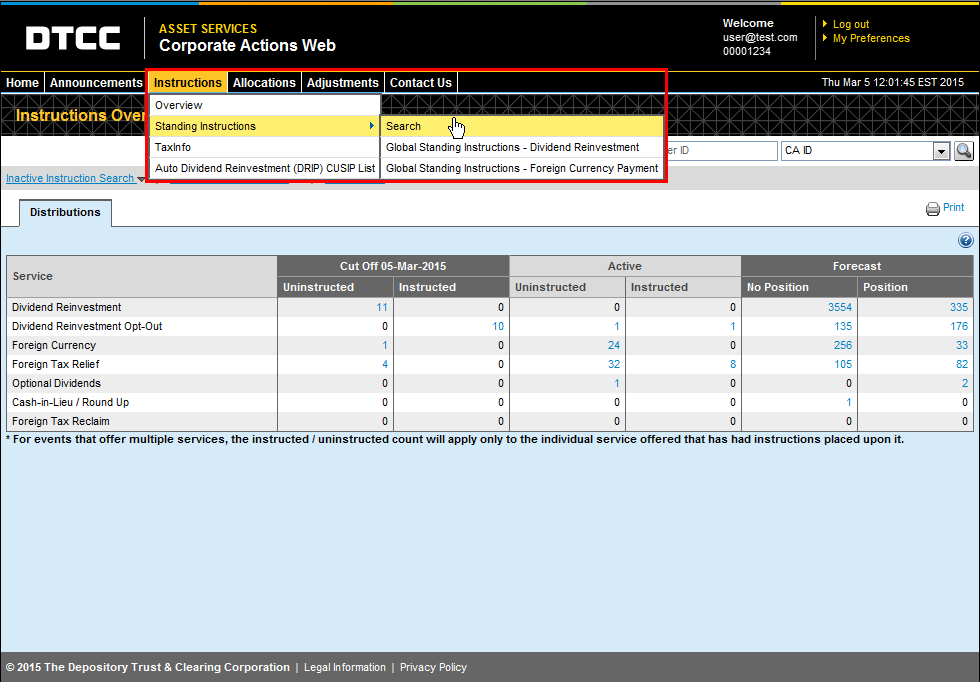
This brings you to the Standing Instructions Search page.
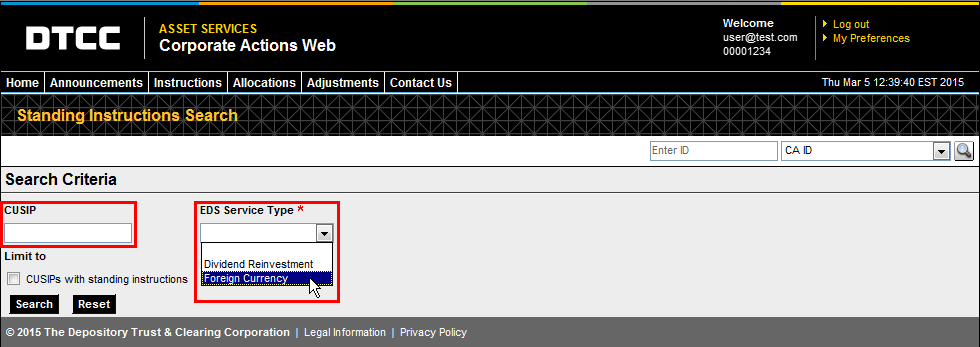
- Enter
the CUSIP (if known) and select
“Foreign Currency” from the EDS Service
Type drop-down list.
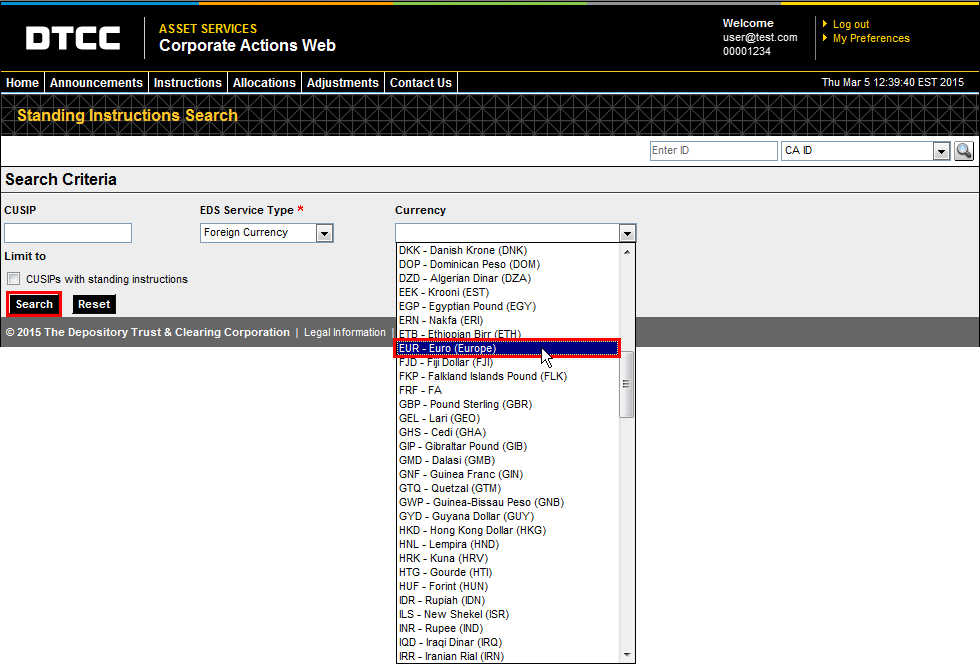
- Select the currency for your instructions
from the Currency drop-down
list that appears and click Search.
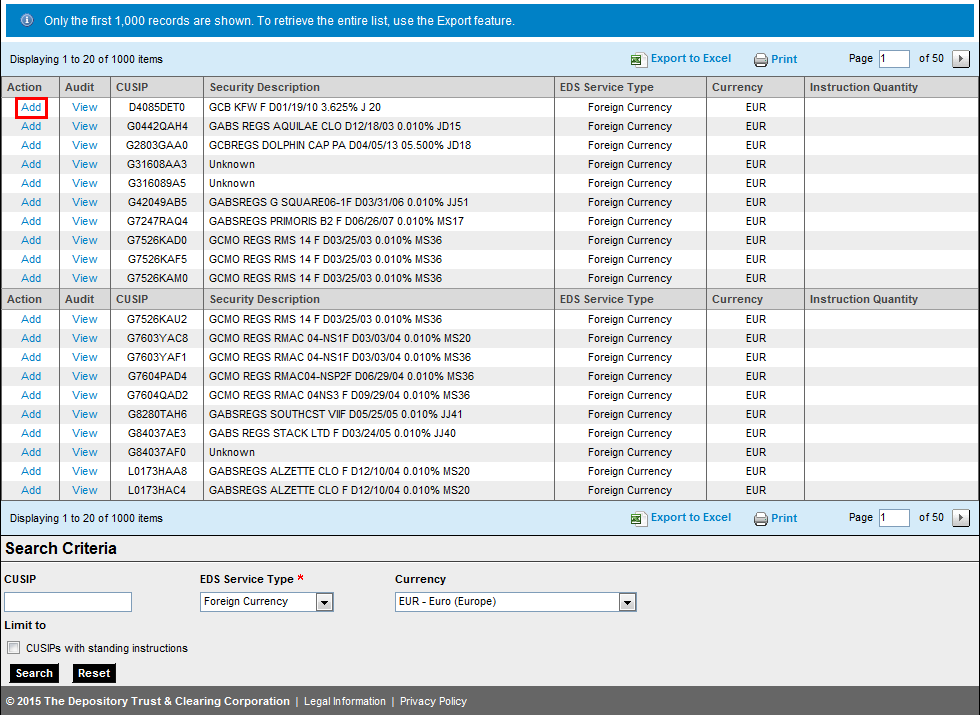
Your search results appear.
Note
If you did not search by an individual CUSIP, the results include all CUSIPs for your selected currency type.
-
Click Add next to the CUSIP for which you want to add instructions.
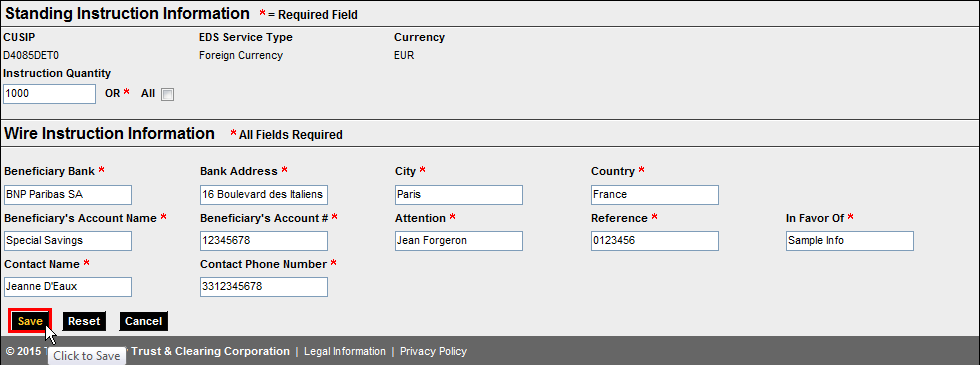
5. Enter information for all required fields and click Save.
Notes
For the Instruction Quantity, you can select one of two options:
-
Click All to indicate that you want to take this action with all applicable shares that are held on record date (for this CUSIP in this currency).
-
Enter a whole number of shares (no fractions) in the Instruction Quantity field. Any shares beyond this amount will take the default election.
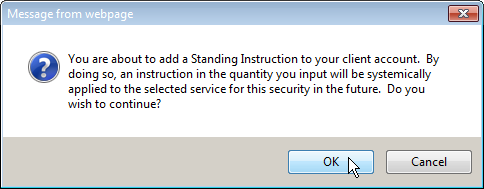
A dialog box appears, confirming that you want these instructions applied to all applicable events (for this CUSIP in this currency) in the future.
-
- Click OK
to confirm the standing instructions.
Click Cancel if you do not want to apply these instructions to all applicable events for this security and currency in the future.
Your new instructions appear in the Search results as editable.
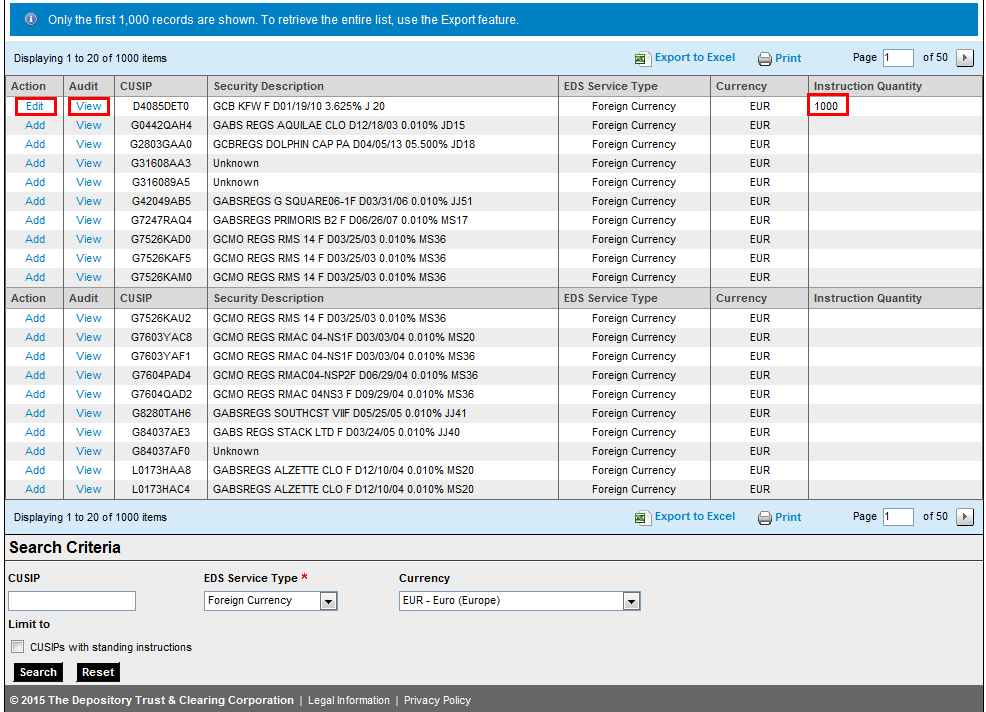
- Click View
in the Audit column to see
an audit trail for these standing instructions.
The Standing Instructions Audit page appears.
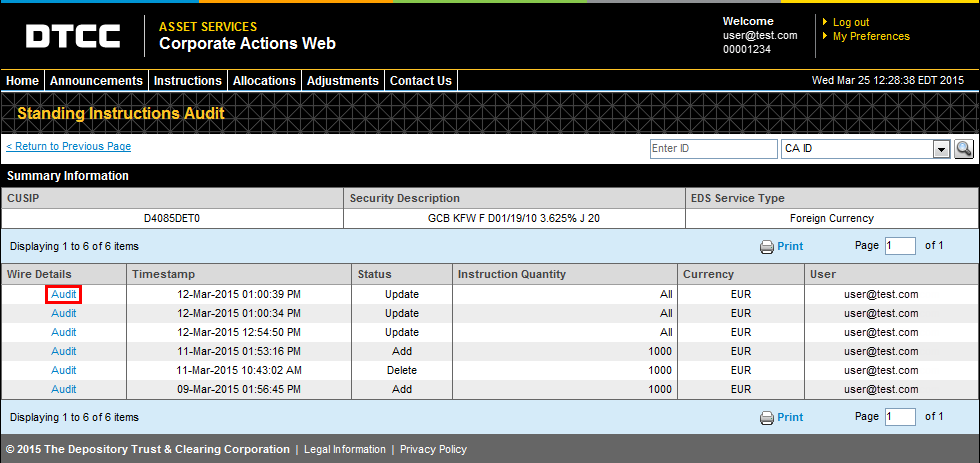
On this page, you can click Audit to see details for this standing instruction.