CTM User Interface: Create and View Notifications
CTM supports integration with Settlement Instruction Manager to help investment managers manage their notifications on trades in Not Match Agreed (NMAG) status.
Create Notification
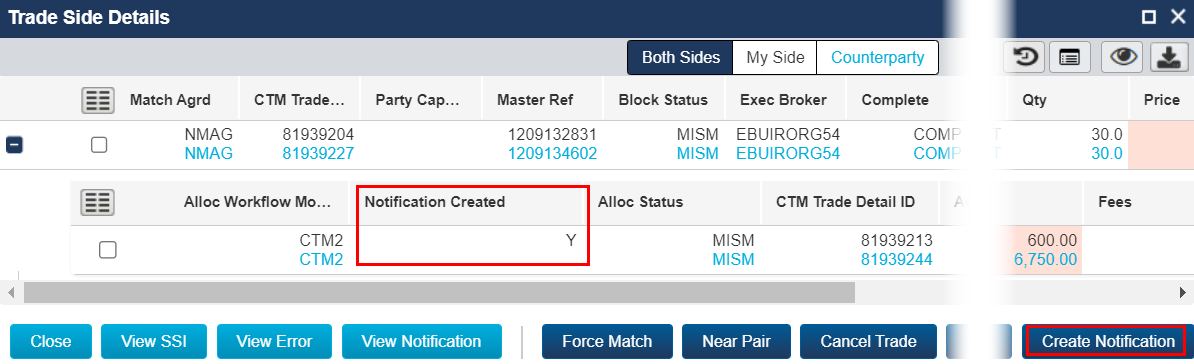
Create Notification is available in Trade Side Details for investment managers. This supports users who want to send settlement messages prior to the trade reaching Match Agreed (MAGR) status in Settlement Instruction Manager. Once a notification is created, the Notification Created field is updated to Y when the Trade Side Details window is reopened.
To use this function, your organization must be subscribed to Post Trade Settlement Notification (PTSN); and Usage of PTSN (USGE) must be set to ACTIVE. You must also have the user role Create Settlement Detail.
View Notification
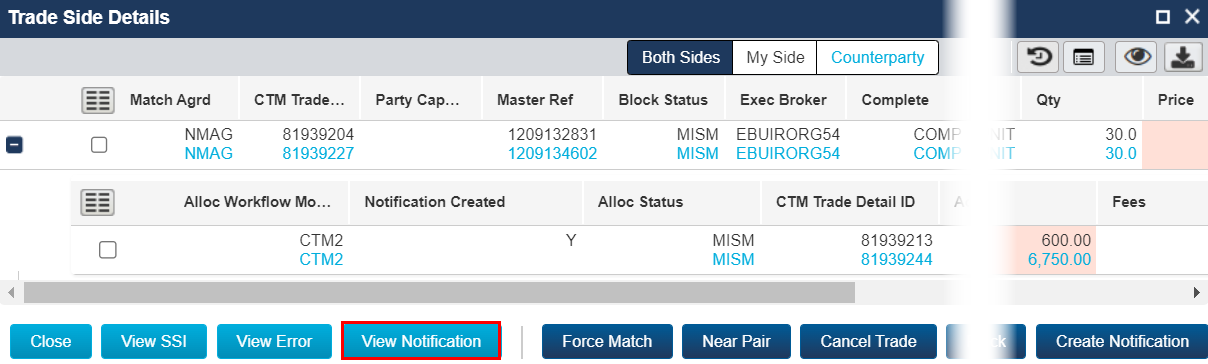
View Notification is available in Trade Side Details for investment managers. View Notification opens a new tab and navigates you to the selected trade detail in Settlement Instruction Manager.
To use this function, your organization must be subscribed to Post Trade Settlement Notification (PTSN); and Usage of PTSN (USGE) must be set to ACTIVE. You must also have the user role View Settlement Detail.